


Overview of Methods to BC.Game Register and Set Up Your Account
The BC Game register process starts with a choice between email credentials and an approved external account. A Mexican phone number can be linked for security verification, but the current registration form does not present a separate phone-only creation method.
| Registration Method | Required Data | Verification Time | Privacy Level | Mobile Access |
| Email and password | Working email, unique password. | Usually a short form; email confirmation may follow. | Email associated with the profile. | Android, iOS and desktop. |
| Social login | Existing Google, X, Telegram, LINE or Steam account. | Provider authorization; additional checks may follow. | Provider-linked account information. | Where provider login is supported. |
| Cwallet | Existing compatible Cwallet account. | Provider authorization and any requested checks. | Linked wallet-service identity. | Supported mobile interface. |
| Web3 connection | MetaMask or WalletConnect-compatible wallet. | Wallet connection and signature approval. | Public wallet address; KYC may still apply. | Compatible wallet or mobile connector. |
Initial registration can take minutes, while KYC approval and financial checks are separate.
Available Account Creation Options for Mexican Players
The BC.Game sign up screen groups its choices into traditional credentials, linked services and Web3 connections. The form does not offer standalone registration through a Mexican telephone number.
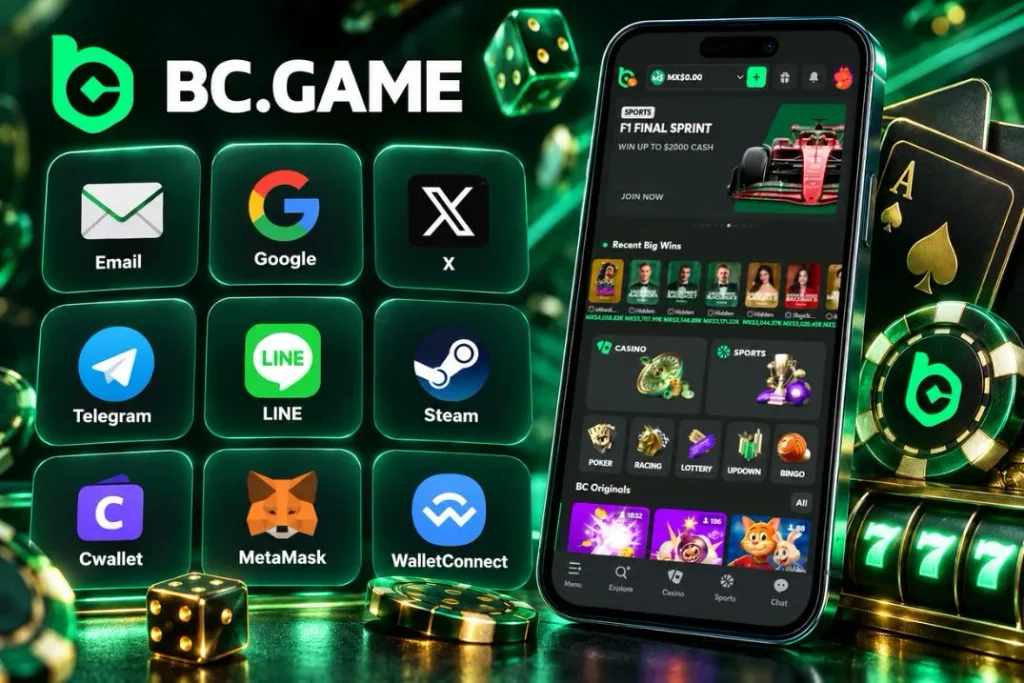
The available routes include:
- Email registration uses a valid address and an independently created password.
- Google and X connect an existing external account through provider authorization.
- Telegram, LINE and Steam support account creation through their respective login services.
- Cwallet lets an existing service account act as an external access method.
- MetaMask and WalletConnect establish access through a compatible Web3 wallet connection.
A phone with Mexico’s +52 country code can be added later where the security settings request it. Users must be at least 18 and meet the applicable eligibility conditions before creating an account.
Key Benefits of Creating an Official BC.Game Account
A BC Game account combines the wallet, casino catalogue, sportsbook, reward dashboard and security settings in one profile. Individual activities may still have different terms.
The most practical account functions are:
- Multi-currency wallet access for supported MXN and cryptocurrency balances.
- Local payment options such as SPEI and OXXO when enabled for the profile.
- Slots, live tables, BC Originals and sports markets under one sign-in.
- Transaction history, identity verification and two-factor authentication settings.
- Customer support access for payment, recovery and account questions.
Cashier limits and eligible withdrawal routes depend on the account.
Step-by-Step Guide for All BC.Game Sign Up Methods
A BC Game sign up should use one genuine identity and one account. Follow-up checks may include email confirmation, a Mexican contact number or KYC.
1. Step-by-Step Email and Phone Number Registration
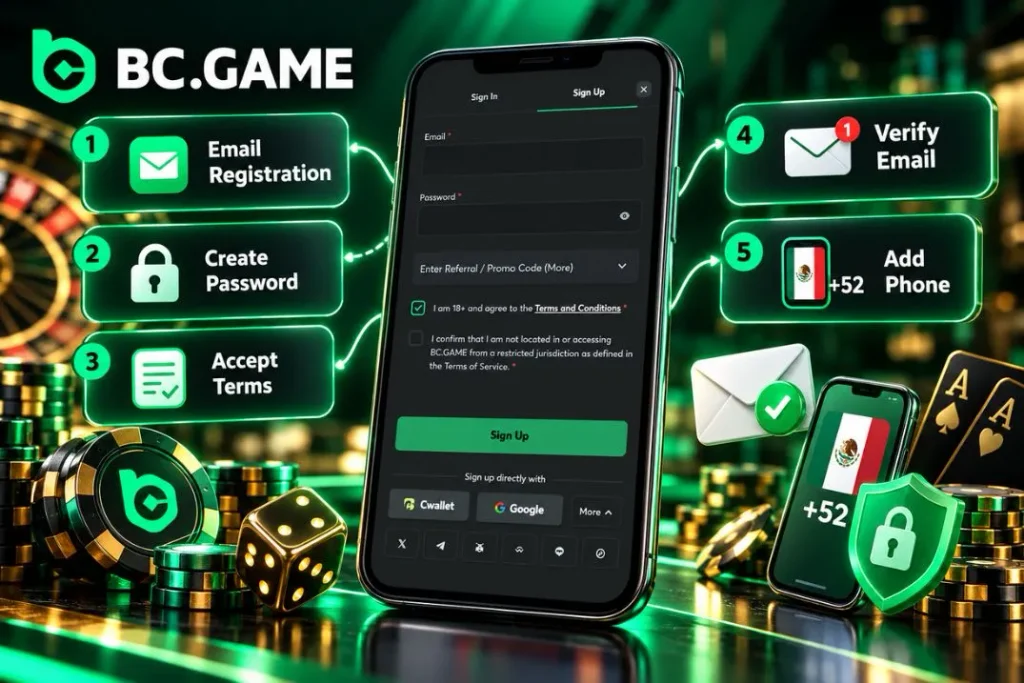
Email is the credential-based means in the current iteration. The use of a +52 phone number can be done for verification/security purposes after the creation of the account in case the option is there; it must not be considered as an absolute sign-up tab option.
Complete the normal registration sequence as follows:
- Click the button below to access the official Mexico registration form.
- Select email registration and enter an address you control.
- Create a strong, unique password that is not reused on other services.
- Confirm that you are at least 18 and accept the applicable terms.
- Submit the form and complete any email confirmation requested.
- Add and verify your Mexican +52 number in account security settings if required.
A verified email supports recovery. If confirmation fails, check the address and spam folder. Use the same legal identity on subsequent KYC documents.
2. Fast Registration via Social Networks (Google, Telegram, WhatsApp)
BC.Game sign up through an external provider avoids creating another platform password. The current options include Google, X, Telegram, LINE and Steam. Select the matching icon, authorize the request in that provider’s interface and return to the account confirmation screen.
The authorization may request basic identity fields or confirmation that you own the linked service account. Review any requested permissions. Cwallet is another external account option.
Use the same provider for later logins. External sign-in does not bypass age checks or KYC.

Create your profile now and audit the BC Game system.
Last used 3 minutes ago
3. Decentralized Web3 Registration (MetaMask & WalletConnect)
Web3 pathway associates the profile with the MetaMask wallet or another WalletConnect-compatible wallet. The wallet connection is approved by the user, who at request signs an authentication message with the help of the wallet UI. Private key resides in the wallet and must never be inputted into the casino registration form.
Accessing the wallet does not ensure any degree of anonymity or exclusion from KYC procedures. Pay attention to the message you are asked to sign – it is not a regular login authentication.
Understanding the BC.Game Sign Up Bonus and Welcome Rewards
A BC Game sign up bonus is governed by the active offer rather than registration alone. Deposit-linked rewards, free spins, Lucky Spin and task rewards can have different claim rules, eligibility periods and withdrawal restrictions. Check eligibility on the Bonus page.
Welcome Deposit Match Package for New Accounts
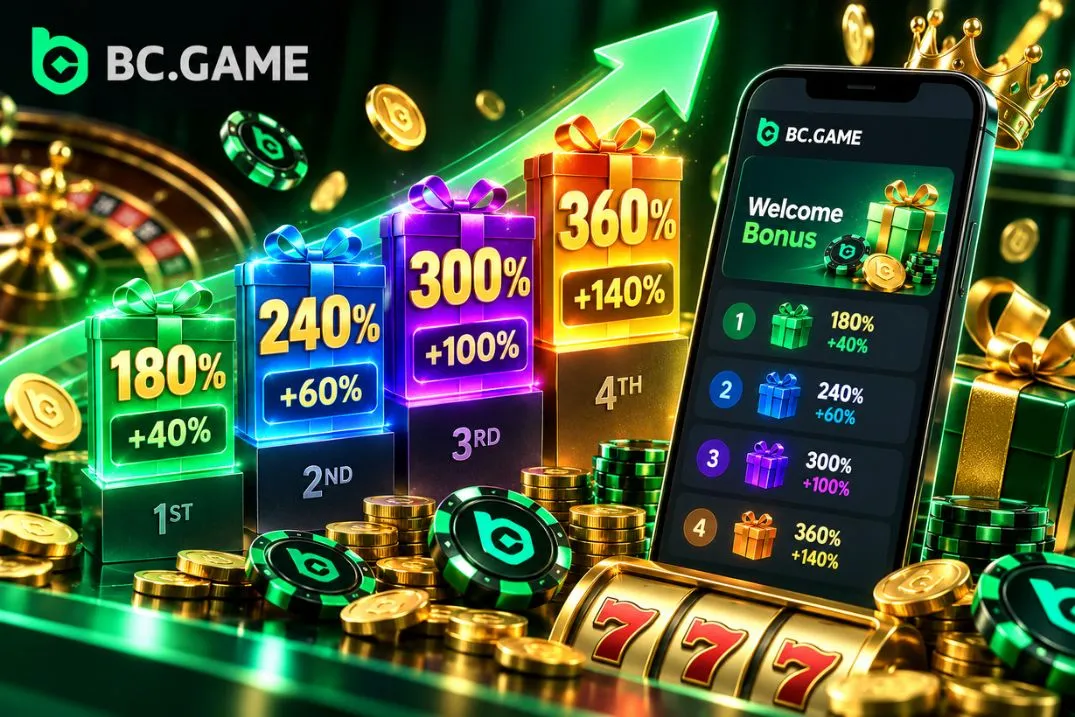
The BC.Game sign up bonus presentation includes a monthly deposit structure with up to four separate opportunities. The displayed stages use deposit match rates of 180%, 240%, 300% and 360%, with additional rakeback rates of 40%, 60%, 100% and 140%, respectively. Minimums vary by stage and currency.
These figures do not describe four immediate cash payments. The qualifying deposit is followed by a manual reward claim, after which the amount enters a locked balance as Deposit Rakeback. Eligible wagering gradually releases that balance. The monthly opportunities reset on the first day at 00:00 UTC, and the new-user offer may have a 24-hour eligibility window.
Confirm that the MXN payment method qualifies and review the unlocking rules, expiry and eligible games. Other first-deposit packages can have different conditions.
Daily Lucky Spin and Free Account Rewards Without Deposit
The no deposit bonus is distinct from a deposit bonus because the requirement for initial qualification does not involve any funds in the player’s wallet. It can still be dependent on the account status, qualifying conditions, and withdrawal limits. The existing terms for Lucky Spin require 60x wagering on the winnings from the wheel, while daily free spins are not automatically provided to all newly created profiles.
Potential account activities include:
- Lucky Spin chances for eligible new users and qualifying existing users.
- Daily or weekly Quest Hub tasks with their own completion requirements.
- Selected free-spin rewards when an account meets the active offer conditions.
- VIP level-up benefits linked to qualifying account activity.
- Rakeback earned through eligible wagering rather than simply opening a profile.
An eligible BC Game sign up bonus no deposit bonus reward may require wagering before withdrawal. Free-spin winnings and wheel prizes can also have separate maximum cash-out amounts, so the reward’s stated value is not necessarily an immediately withdrawable balance.
Identity Verification (KYC) and BC.Game Account Security
KYC connects the registered profile to its actual owner and can be required for withdrawals, unusual activity or compliance checks. Approval time depends on the submitted documents and review.
How to Pass KYC Verification for Smooth Withdrawals
The BC Game account verification area is accessible through profile settings. In Mexico, a government ID and proof of residence may be requested, with additional checks depending on the level of verification.
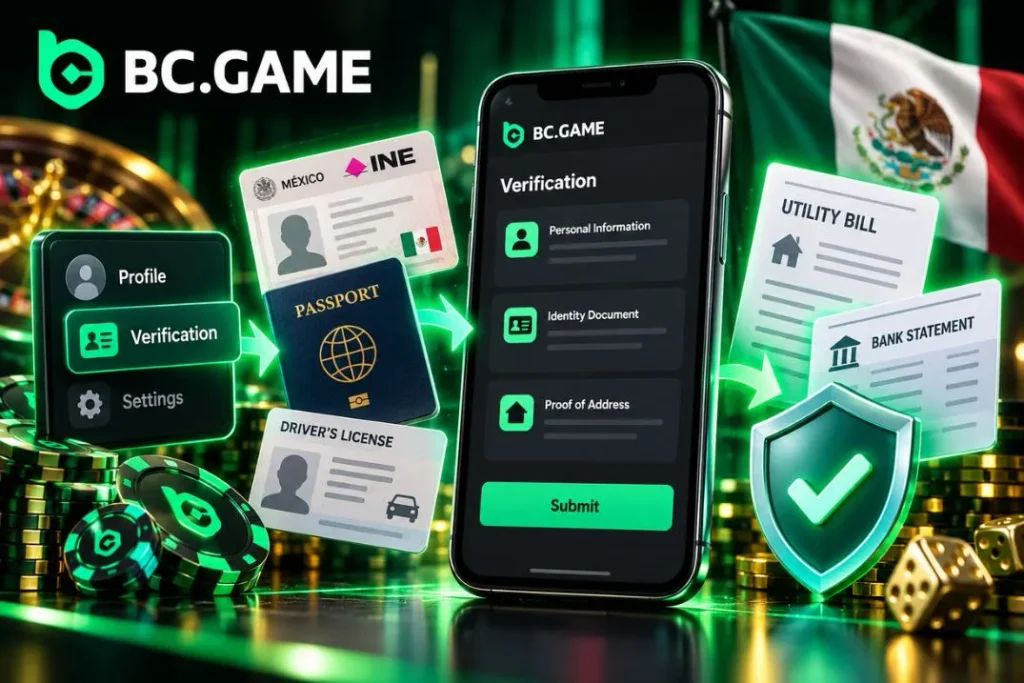
Use the following sequence:
- Sign in and open the profile’s Global Settings or Verification area.
- Select the available identity-verification procedure.
- Enter your full legal name, date of birth and residential address in Mexico.
- Upload a clear image of an accepted INE, passport or driver’s licence.
- Provide a recent utility bill or bank statement if address evidence is requested.
- Submit the information and check the verification status for updates.
Both name and birthday must be identical to those on the document provided. Documents that are cropped or reflected, expired or show an address different from the one provided, may lead to denial or further submission of documents. Approval of KYC does not automatically eliminate bonus wagering restrictions or payment methods.
Enabling Two-Factor Authentication (2FA)
Two Factor Authentication is where a code is included to the secure transaction on accounts. This code can be created without text messaging through Google Authenticator. One might be required to verify email or phone before 2FA can be put in place.
The steps for security are:
- Open the Global Settings, then find the Security tab.
- Email or phone number verification should be done if needed.
- The QR code should be scanned using Google Authenticator or the key should be inputted.
- Input the current 6-digit authentication code.
- Save the recovery key and do not give out any OTPs or wallet seed phrases.
Keep device time synchronized. Security changes may temporarily restrict withdrawals.
Create your profile now and audit the BC Game system.
Last used 3 minutes ago
Mobile Registration: How to Sign Up on Android and iOS
BC Game registration is available on mobile without a second account. Android users can install an official APK where offered, while iPhone users can add a Progressive Web App through Safari. The mobile browser also works without installation.
Android App (APK) Installation and Sign Up
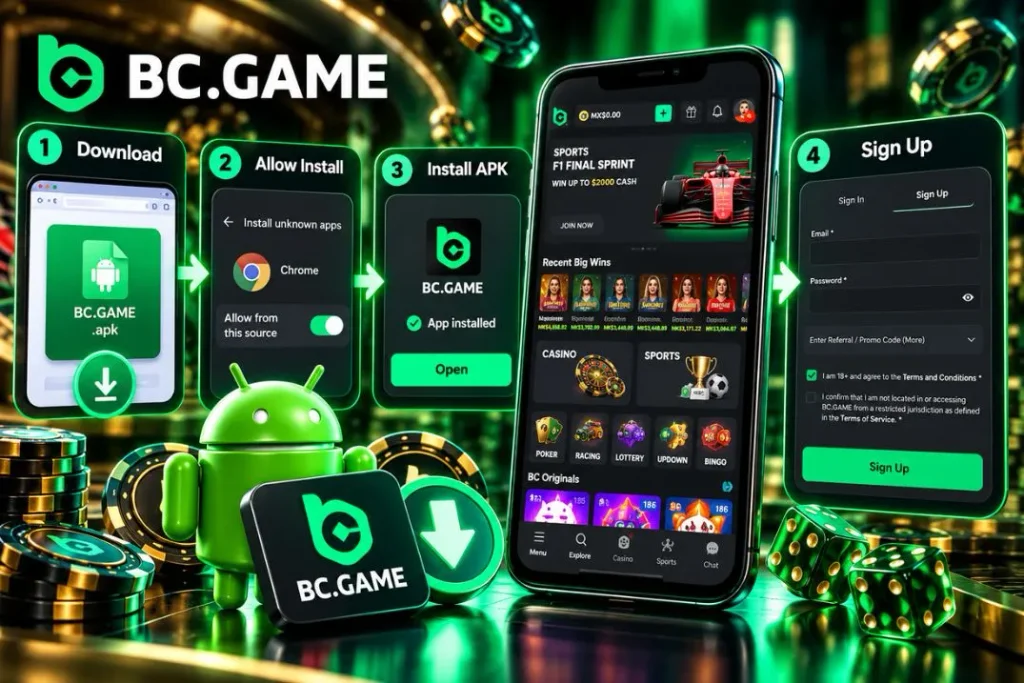
An Android APK should come from the official distribution channel. Unverified copies can contain modified login screens or requests for unnecessary permissions. Disable outside-source installation permissions afterwards.
Install the mobile version using these steps:
- Click the button below on your Android phone to reach the official APK download.
- Download the available installation file through Chrome.
- Open Android Settings and allow installation from Chrome or the relevant file manager.
- Find the APK in Downloads and confirm installation.
- Launch the app, select Sign Up and complete your chosen registration method.
Android commonly grants installation permission per source. Keep updates tied to the official channel.
iOS Web App (PWA) Setup on iPhone
A Progressive Web App works via Safari to create a site-specific access icon for the iPhone home screen. It does not require an installer for Android or a separate account from Apple, as it links to the same profile as the mobile website.
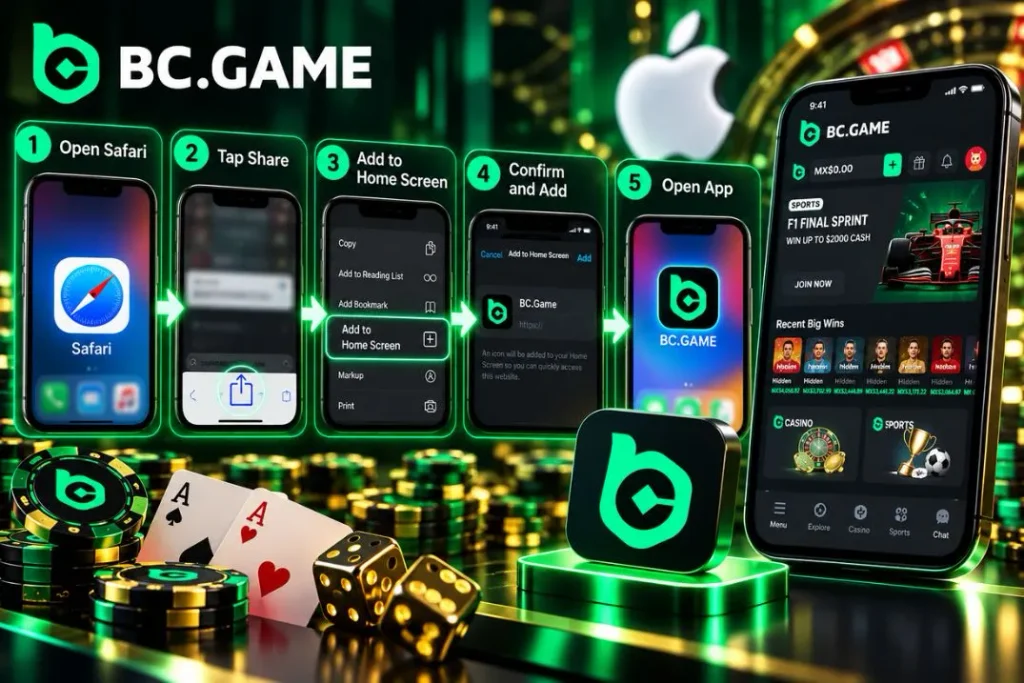
Set up the iPhone access as follows:
- Open the official platform in Safari on your iPhone.
- Tap the Share icon in Safari’s toolbar.
- Select Add to Home Screen from the available actions.
- Confirm the name BC.Game and tap Add.
- Open the new icon and complete registration or sign in to your account.
Push notifications depend on iOS compatibility and permissions.
Mobile App Specifications and Compatibility
Mobile compatibility depends on the Android package version, the iOS browser and the resources available on a device. Routine account settings use little bandwidth, while live dealer video and in-play sports screens demand a steadier connection.
| Parameter | Android | iOS | Recommended Specification |
| Access format | Official APK or mobile browser. | Safari PWA or mobile browser. | Choose a supported current version. |
| Operating system | Must support the offered APK. | Must support Safari web-app features. | Keep the system updated. |
| Memory | Device-dependent. | Managed by iOS. | Around 4 GB RAM for intensive multitasking. |
| Storage | APK, app data and cache. | Safari and web-app data. | Keep free space for updates. |
| Connectivity | 4G, 5G or Wi-Fi. | 4G, 5G or Wi-Fi. | Stable network for live content. |
| Security | Screen lock and app permissions. | Device lock and Safari permissions. | Enable account 2FA separately. |
If the interface stalls, check storage, connectivity and updates before reinstalling.
First Deposit After Completing BC.Game Registration in Mexico
After BC Game registration, the wallet displays the funding methods available for the selected currency and profile. Mexican players may see SPEI, OXXO and card services alongside supported cryptocurrencies. Deposit methods and withdrawal routes are not necessarily identical.
| Payment Method | Currency | Minimum Deposit | Processing Time |
| SPEI bank transfer | MXN | Check the live cashier. | Depends on bank and provider confirmation. |
| OXXO cash payment | MXN | Check the live cashier. | After payment reference is validated. |
| Bank card, where enabled | MXN | Check the live cashier. | Depends on issuer and payment provider. |
| USDT | Cryptocurrency | Check the selected network minimum. | Blockchain confirmations and account checks. |
| BTC | Cryptocurrency | Check the live cashier. | Depends on network confirmations. |
| ETH | Cryptocurrency | Check the live cashier. | Depends on network and transaction fees. |
Check minimums and payment details in the cashier before proceeding.
Depositing Mexican Pesos (MXN) via SPEI and OXXO
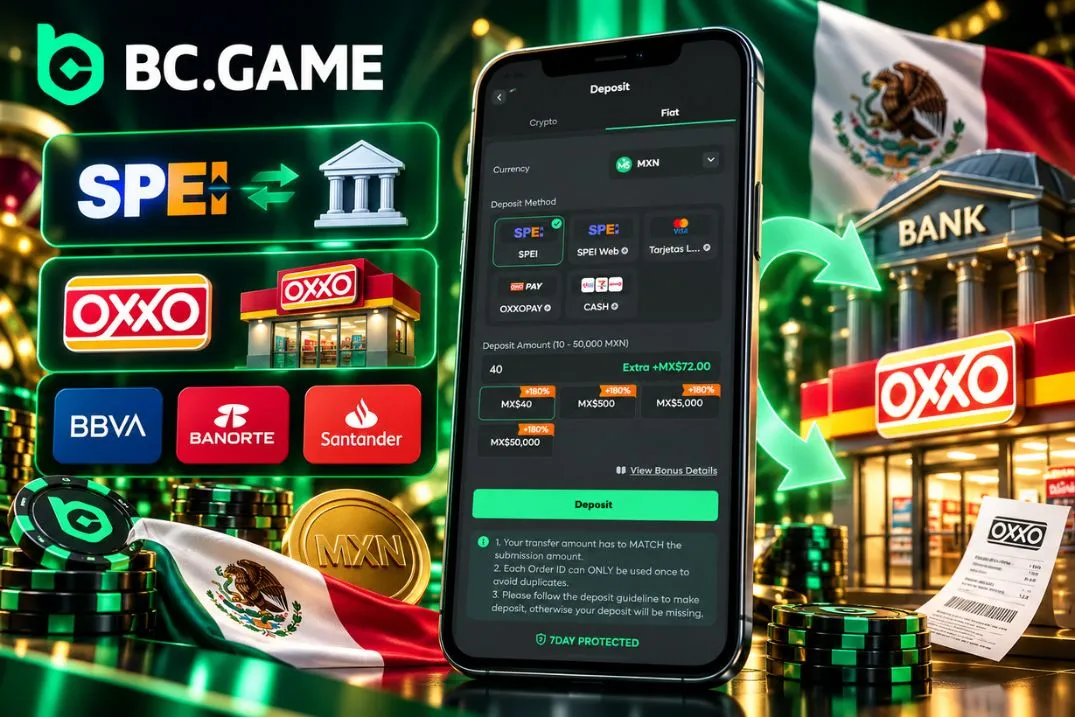
For an MXN deposit, you need to open Wallet, choose Mexican Pesos, and then select a local option from the methods available. In case of SPEI, the bank transfer information will be provided while for OXXO, cash payment info is usually provided. Specify your deposit amount and follow the guidelines.
The local routes work as follows:
- SPEI handles electronic transfers between compatible Mexican bank accounts.
- OXXO processes cash payments against an issued reference where enabled.
- BBVA can originate a SPEI transfer using the displayed banking details.
- Banorte can transfer MXN through the same interbank system.
- Santander can send funds using the correct CLABE and reference information.
These banks are SPEI transfer sources, not necessarily separate cashier buttons. Retain the payment receipt.
Create your profile now and audit the BC Game system.
Last used 3 minutes ago
Instant Cryptocurrency Deposits and Secure Withdrawals
Crypto funding begins by selecting the asset and its network in Wallet. Copy the unique deposit address, confirm that the sending wallet uses the same network, and check the amount against the displayed minimum. Blockchain transfers are generally irreversible once confirmed; using the wrong network can cause permanent loss.
For withdrawals, select the available method, enter the destination address or eligible bank details, check fees and limits, and complete 2FA when prompted. USDT, BTC and ETH can have different confirmation times. An MXN withdrawal through SPEI/CLABE is possible only when the account’s cashier offers that route.
Keep the transaction hash or bank reference for support. Never share private wallet credentials.